Do Website Animations Hurt Performance and Conversions?
Learn when website animations, blur effects, and complex interactions create friction, and how to balance visual design with speed and usability.
Website animations can hurt performance and conversions when they delay content, interrupt navigation, or overload everyday devices. Animation itself is not the problem: restrained motion can clarify an interaction. Test loading, responsiveness, reduced-motion behavior, and key customer tasks on real devices before deciding which effects to keep.
Browse design galleries or award showcases and you will see a pattern: 3D hero scenes, cursor trails, infinite horizontal movement, and layered glassmorphism.
These concepts look stunning in a portfolio review, but in production they often tax CPU and memory enough to quietly destroy user confidence.
The "Father's Laptop" Test: A Three-Second Reality Check
A common scenario exposes the problem fast. The site feels perfectly smooth on a high-end workstation, then lags on a standard consumer laptop the moment a blur-heavy section enters view.
Effects like backdrop blur, layered translucency, and continuous motion can depend heavily on hardware acceleration. If acceleration is disabled or the device is modest, the browser struggles and scrolling collapses.
What Customers Actually Experience
- Designer assumption: everyone uses high-end hardware and fast internet.
- Customer reality: the page feels broken, so they leave before reading your offer.
When a site lags, visitors do not admire the aesthetic. They assume your business is unreliable.
The Hidden Cost of Visual Hype
1. Paying More to Convert Less
Complex interactions require more development time, QA, and edge-case fixes. You pay a premium for the build, then lose ROI when performance issues reduce conversions.
2. Battery Drain and CPU Pressure
Heavy animation loops, background blurs, and WebGL surfaces increase device workload. On mobile, this can heat phones and accelerate bounce.
3. Cognitive Overload
If everything moves, nothing stands out. Motion should guide attention to key actions, not compete with the core message.
4. SEO and Speed Penalties
Core Web Vitals reward stable, responsive experiences. Slower interactivity and rendering delays reduce discoverability and directly impact pipeline conversion.
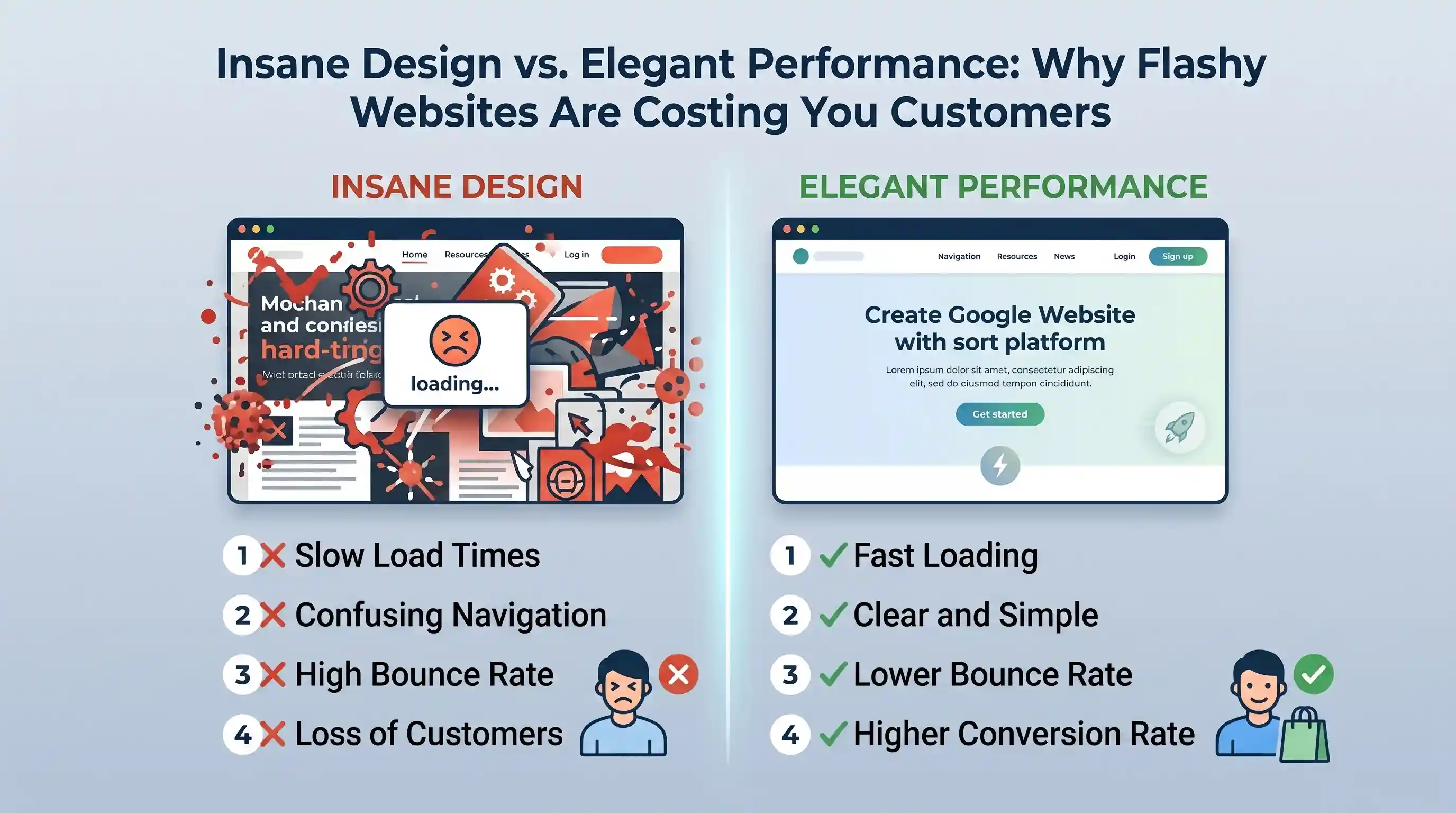
Insane Design vs. Elegant Performance
| Feature | Insane Design (Hype Trap) | Elegant Performance (Growth-First) |
|---|---|---|
| Primary Focus | Design awards and peer impressiveness. | Converting visitors into qualified clients. |
| Development Cost | more complexity, more edge cases, more upkeep. | strategy and clarity over visual excess. |
| Hardware Requirements | Often needs stronger GPUs and acceleration for smoothness. | Runs well on standard laptops and mobile devices. |
| Visual Language | Heavy blur stacks, parallax, scroll hijacking, constant motion. | Clean typography, deliberate whitespace, restrained transitions. |
| Load and Interaction | Commonly slower with higher script and rendering overhead. | Fast start, fast interaction, low friction journey. |
| User Response | Looks impressive but often confusing or sluggish. | Clear value, easy navigation, higher trust. |
How to Build for Elegant Performance
- Use motion to guide, not to show off. Keep animation functional and restrained.
- Test on low-end hardware and with hardware acceleration disabled to expose hidden friction.
- Treat speed as a brand signal. Fast interactions communicate reliability and competence.
The Bottom Line
Your website is a business system, not a gallery piece. If users need premium hardware to scroll your homepage, you are introducing avoidable friction at the exact moment trust should be built.
Choose clarity over cleverness, speed over spectacle, and elegant performance over visual noise.